Qelvaramixe
Pulse Nexus
Pulse Nexus
Couldn't load pickup availability
1. Problem Statement
After mastering basic HTML, CSS, and simple scripts, many face difficulties building more complex pages: styles start conflicting, JavaScript code becomes disorganized, and pages look poor on mobile. You’re not alone — moving from simple examples to real projects often requires more system and deeper understanding.
2. Solution
Pulse Nexus is a set of materials that helps deepen knowledge and work with modern techniques. Here you study variables and functions in JavaScript in more detail, master CSS animations, work with arrays and objects, and build several complete pages step by step.
3. What's Inside
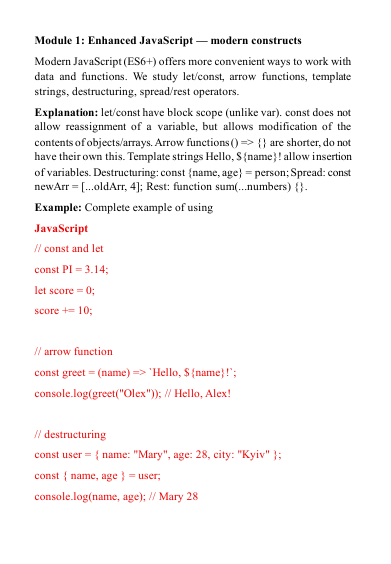
- Module 1: Advanced JavaScript — Variables (let, const), scope, arrow functions, template literals, destructuring, spread/rest operators.
- Module 2: Arrays & Objects — Array methods (map, filter, reduce, find), object creation and manipulation, JSON format, data transformation.
- Module 3: Advanced CSS Techniques — CSS variables, calc(), clamp(), transition & animation, keyframes, hover effects, pseudo-elements & pseudo-classes.
- Module 4: Working with Asynchronicity — setTimeout, setInterval, Promise, async/await, fetch for getting data from open APIs (e.g., weather or quotes).
- Module 5: Modular Project Approach — Organizing code into multiple files (HTML, CSS, JS), using import/export (module basics), folder structure.
- Module 6: Practical Projects — Two full examples: • Interactive to-do list with add/remove/filter tasks and localStorage persistence. • Page with dynamic content loading (e.g., post list from API) and appearance animations.
- Module 7: Optimization & Code Cleanliness — Avoiding duplication, DRY principle, comments, variable naming, basic refactoring.
4. Who is this for?
✅ Suitable if you...
- are already comfortable with basic HTML/CSS and simple JavaScript;
- want to understand arrays, objects, and asynchronous code;
- want to build interactive pages with real data;
- are ready to work on complete small projects independently.
❌ Not suitable if you...
- are only getting familiar with basics (better Nova Flow or Free Key);
- already regularly use modern libraries or frameworks and are looking for very specialized topics.
5. What You'll Learn
- How to use modern JavaScript constructs (arrow functions, destructuring, spread/rest);
- How to work with arrays and objects using built-in methods;
- How to create smooth animations and transitions with CSS;
- How to write asynchronous code with Promise and async/await;
- How to fetch data from external sources;
- How to organize code in a modular structure;
- How to create and persist data in localStorage;
- How to build interactive interfaces (to-do list, dynamic lists);
- How to analyze and improve your code for better readability and maintainability.
9. Guarantee
- 30-day money back
- Risk-free
- ⚡ Instant access after purchase
- ∞ Lifetime access & updates included
- 🔐 Secure & encrypted checkout
- 🛠️ Last updated: 2026
Self-paced learning overview
What level of knowledge is required?
What level of knowledge is required?
The materials are suitable for beginners with no prior experience, as well as for those who want to systematize basic knowledge of HTML, CSS, and JavaScript. Each module starts with the basics and gradually moves on to more complex topics.
How are the materials organized in the tariffs?
How are the materials organized in the tariffs?
All tariffs consist of step-by-step lessons, code examples, practical exercises, and explanations. You can go through them at your own pace, returning to previous modules when necessary.
Are there practical exercises in the courses?
Are there practical exercises in the courses?
Yes, each module provides code examples for independent reproduction and exercises to consolidate the material to develop skills through practice.
Share